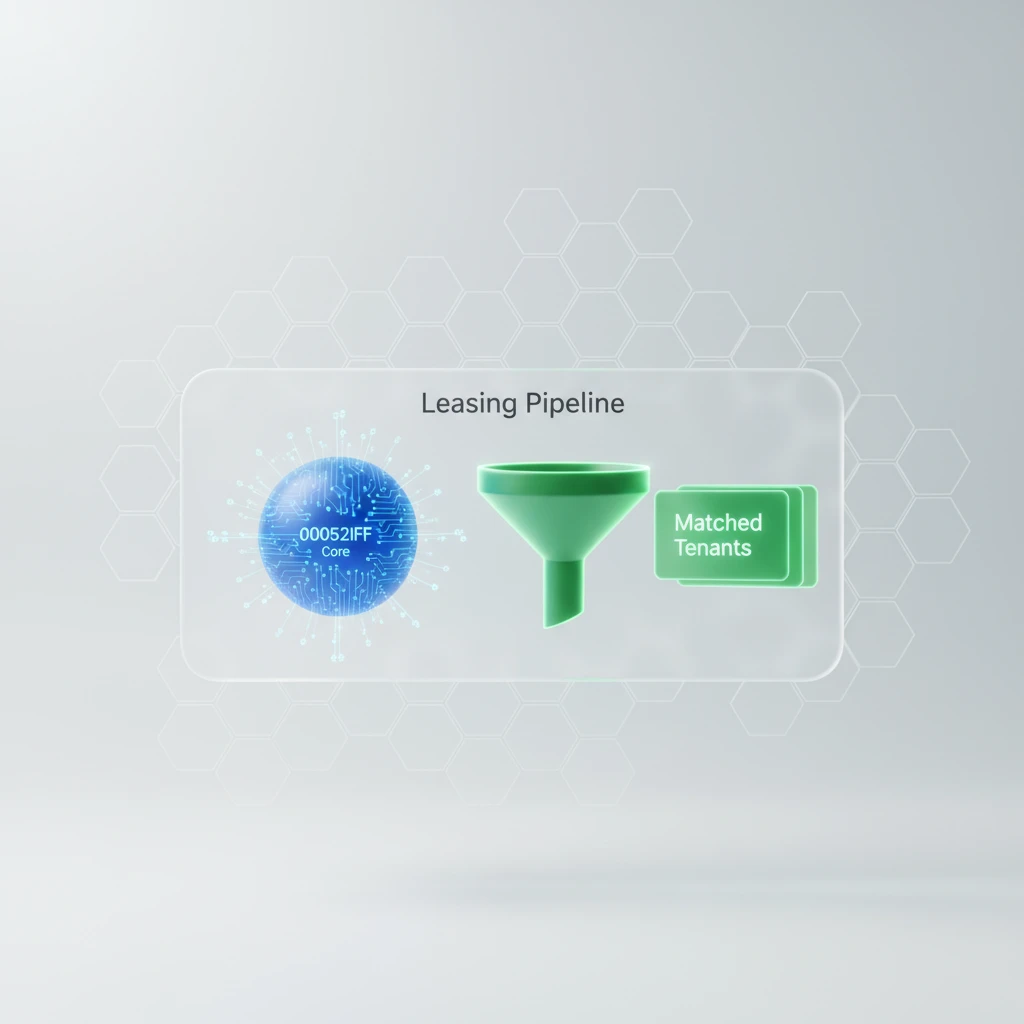
AI Leasing Software for Small Landlords: What It Does
AI leasing software and leasing bot software handle inquiries, showings, and follow-up. Learn workflow limits, privacy checks, and human-review steps in Canada.
About the author
Amir Sojoudi · Co-founder, Propilot
Amir Sojoudi is the co-founder of Propilot. He builds AI-powered tools for Canadian landlords.
AI Leasing Software for Small Landlords: What It Does
Estimated reading time: 13 minutes
Key Takeaways
- AI leasing software is most useful for repeatable coordination: first responses, property questions, showing schedules, application checklists, and follow-up.
- It should support a documented leasing process, not make unreviewed tenant-selection decisions.
- Human review is essential for exceptions, sensitive questions, applicant decisions, lease terms, and anything that could affect rights or safety.
- Canadian landlords need to check provincial tenancy rules, human-rights boundaries, consent, and privacy practices before putting an automated workflow in front of applicants.
Table of Contents
- What AI leasing software is
- Where AI leasing software can automate the leasing workflow
- Setting up a controlled AI leasing workflow
- What still needs human review
- Fair-housing and human-rights boundaries
- Privacy and security questions to ask
- Canada-specific checks before using AI leasing
- Is AI leasing software a fit for small landlords
- Frequently asked questions
AI leasing software helps landlords manage the early, repetitive parts of finding a tenant. It can acknowledge an inquiry, answer approved questions about a rental, offer a showing time, keep an application moving, and send a polite update when a step is incomplete. Searchers may also see this category called leasing bot software, especially when the product is chat-first. Neither label makes the tool responsible for a tenancy decision.
For a small landlord, the practical question is not whether AI can run the entire leasing process alone. It is whether AI leasing can reduce inbox and scheduling work while leaving decisions visible, reviewable, and under your control. This guide explains the workflow, its limits, and the checks Canadian landlords should make before using it with real applicants.
If you are already comparing vendors, features, integrations, or plans, use the AI property management software comparison for that commercial decision. For Canadian market and platform context, see property management software for Canadian landlords. This article focuses on what the leasing workflow itself can automate.
What AI leasing software is
AI leasing software combines a rental listing’s facts, a set of instructions, and workflow automation. In a well-configured setup, it can interpret a prospect’s everyday question, retrieve the approved answer, and move the conversation to the next appropriate step. For example, it may answer a question about parking or utilities, ask for a preferred move-in date, then offer approved showing times.
That capability sits between a simple autoresponder and a human leasing agent. A basic autoresponder sends one fixed reply. An AI-enabled workflow can handle variations in wording and retain the context of the conversation. It still needs reliable inputs. If rent, pet policy, availability, or showing instructions are wrong in the source material, a polished answer can still be wrong.
The term also covers different scopes. Some tools only assist with chat. Others connect inquiries, scheduling, applications, and post-showing follow-up. A broader real estate copilot may extend beyond leasing into ongoing property operations. Knowing that boundary prevents a landlord from expecting a leasing feature to handle maintenance, rent collection, disputes, or legal advice.
AI leasing software vs. leasing bot software
Leasing bot software usually describes a chat-first layer that answers prospect questions, captures basic details, and helps schedule a tour. AI leasing software may include those capabilities plus application checklists, follow-up, document organization, and a handoff to a reviewer. The terms are not standardized, so assess the workflow rather than trusting the label.
Ask a provider to demonstrate the full path from inquiry to human review. A bot that only sends messages may leave screening, application tracking, and exception handling in a separate inbox. A broader workflow can reduce more coordination work, but it also needs clearer permissions, audit records, privacy controls, and pause or override actions.
Where AI leasing software can automate the leasing workflow
The value of AI leasing is usually in connecting small actions that otherwise create repeated back-and-forth. The table below separates useful automation from responsibilities that should remain visible to a person.
| Leasing stage | Useful AI leasing support | Landlord or reviewer responsibility |
|---|---|---|
| Inquiry response | Send a timely acknowledgement, answer approved property questions, and capture basic next-step details. | Keep listing facts current and review questions the system cannot answer safely. |
| Showing coordination | Offer available times, confirm bookings, send reminders, and handle a permitted reschedule flow. | Control calendar access, property entry, safety procedures, and exceptions. |
| Application workflow | Explain the checklist, request documents, record consent, and show what remains incomplete. | Review documents, verify information through appropriate methods, and make the final decision. |
| Follow-up | Send neutral reminders about a booked showing, incomplete application, or next step. | Set the timing, stop messages when appropriate, and handle a prospect’s questions or objections. |
| Lease preparation | Pre-fill information that has been reviewed and assemble a draft for approval. | Confirm provincial form requirements, negotiated terms, notices, and the final document before signing. |
Inquiry response
The first response is a good automation candidate because the same questions recur: Is the unit available? What is included? Are pets considered? When can someone view it? A system can give a prompt, consistent answer when those facts are explicitly provided. It can also summarize the exchange for the person who takes over later.
Good setup matters more than a clever opening line. Give the system a current listing description, an approved answer set, and a short escalation list. Escalate requests about accessibility, accommodation, eligibility, disputes, unusual terms, or anything the system cannot confirm from the listing. Do not ask it to invent an answer or make a commitment on your behalf.
Showing coordination
Showing coordination is often administrative rather than judgment-based. A workflow can present the times you have released, confirm the selection, issue a reminder, and route a change request. This reduces message traffic without making the software responsible for the showing itself.
Keep the calendar constrained. Only expose slots you are prepared to honour, decide who can change them, and make sure a cancellation does not leave stale access instructions in a message. If you use self-guided access, it deserves a separate security and insurance review; booking software alone does not solve those operational questions.
Application workflow
Once a prospect is interested, AI leasing software can turn an informal conversation into a clear checklist. It can tell an applicant what the application requires, confirm receipt of a document, identify a missing field, and explain the next review step. That can be less frustrating than a long email thread, especially when several applicants are at different stages.
The system should not quietly turn a checklist into a hidden scoring model. Applicants and reviewers should be able to see what was requested, what was received, and what needs clarification. Before a credit check, background check, reference contact, or similar verification, make sure the application flow captures the consent and notices your process requires. For a deeper review of the decision stage, see the tenant screening in Canada guide.
Follow-up
Follow-up works best when it is specific and time-bounded. A reminder that a showing is tomorrow, an application is incomplete, or a document has been received can keep a willing prospect moving. It should not become an endless sequence of generic nudges or an automated rejection explanation that nobody has reviewed.
Write the follow-up rules before you turn them on. Define the event that triggers each message, the maximum number of reminders, the point at which a human takes over, and how a prospect can ask a question or stop receiving non-essential messages. Keep a record of the messages sent so a reviewer can understand the history.
Setting up a controlled AI leasing workflow
The safest way to adopt AI leasing is to start with a narrow, observable workflow. Treat the first configuration as a process review, not a set-and-forget project.
- Map your current steps. List the path from inquiry to showing, application, screening, decision, and lease. Mark who owns each decision today.
- Separate facts from judgment. Put approved property facts, availability, and process instructions into the system. Keep subjective assessments and final decisions with a named person.
- Set escalation rules. Define the questions or events that require human review, including unclear requests, accommodation issues, mismatched information, safety concerns, and any screening exception.
- Run test conversations. Ask ordinary questions and awkward edge cases before publishing a live listing. Check that the answer is accurate, neutral, and easy to correct.
- Review the audit trail. Make sure you can see the conversation, changed settings, documents requested, consent captured, and handoff status for every applicant.
- Review after a real vacancy. Update property facts and rules based on what actually caused confusion. Do not expand automation until the first narrow workflow behaves predictably.
This approach also makes it easier to compare a chat feature with a complete leasing workflow. A feature is only useful if you can see what it did, correct it quickly, and take over without losing context.
What still needs human review
AI leasing tools can organize information. They cannot take responsibility for a tenancy decision, a legal interpretation, or an applicant’s circumstances. A person should review at least the following:
- Final applicant selection and any adverse or exceptional outcome.
- Requests involving accommodation, accessibility, family circumstances, protected characteristics, or unclear eligibility questions.
- Conflicting application details, unusual documents, identity concerns, and reference follow-up.
- Lease terms, provincial forms, notices, deposits, and any change to the standard process.
- Safety-sensitive showing arrangements and property-access decisions.
- Communications that could materially affect an applicant’s rights or expectations.
Human review should be meaningful, not a rubber stamp. The reviewer needs enough context to see the original conversation, the documents provided, the rules applied, and any automation that occurred. If a product only shows a score or a recommendation without that context, it is hard to audit and harder to correct.
Use a simple operating boundary: automation may collect, organize, route, and remind; a named landlord or authorized manager reviews and decides. The workflow should record who reviewed the file, which criteria were applied, and why an exception was escalated. A leasing bot should never send an unreviewed approval, decline, lease term, or rights-sensitive explanation as if it were a final decision.
Fair-housing and human-rights boundaries
Automation can make a process more consistent, but consistency alone does not make it fair or lawful. In British Columbia, tenancy is covered by the Human Rights Code. Other provinces have their own legislation and guidance. This is practical information, not legal advice; get province-specific advice when a situation is unclear.
Configure the workflow around legitimate, documented rental criteria and review the actual questions it asks. Do not use protected characteristics, proxies for them, or subjective language as screening signals. Avoid prompts that ask the system to infer suitability from names, photos, writing style, family circumstances, disability, ethnicity, religion, or other personal traits unrelated to a lawful tenancy process.
An automated response should also know when to stop. A request for accommodation or an unclear question about a household should be escalated to a trained human rather than forced into a yes-or-no flow. The useful principle is simple: automate administration, not rights-sensitive judgment.
Privacy and security questions to ask
Rental applications can contain identification, contact information, income records, employment details, references, and sometimes credit-related information. Treating that data as ordinary chat content is a mistake. In BC, review guidance from the Office of the Information and Privacy Commissioner for BC; federal PIPEDA resources provide further context. Which requirements apply depends on the organization, province, and data flow.
Before enabling a vendor, get clear answers to these questions:
- What applicant data is collected, and is each field necessary for this stage?
- How are applicants told about collection, use, access, and any verification or screening process?
- Who at your organization and the vendor can access the data, and how is access removed when it is no longer needed?
- Where is data stored and processed, how long is it retained, and how can it be exported or securely deleted?
- Are conversations or documents used to train a model, and can that use be disabled?
- What is the vendor’s breach-response process, and what logs are available to help you investigate an issue?
Security is not just a vendor checklist. Use strong, individual account access, avoid sharing applicant files through personal inboxes, and limit administrative access to people who need it. Keep the workflow narrow enough that a human can spot an incorrect or overly revealing response.
Do not copy sensitive applicant information into a general-purpose chatbot simply because it is convenient. Confirm the purpose, consent, access, retention, deletion, and vendor-processing controls for the actual leasing product and workflow you plan to use.
Canada-specific checks before using AI leasing
Canadian leasing is not one uniform workflow. Provincial tenancy rules can affect forms, deposits, notice periods, lease terms, and dispute processes. The Government of British Columbia’s residential tenancies information is a useful starting point for BC landlords, but it is not a substitute for checking the rules where the rental is located.
Before using an automated flow, verify these details for each province where you rent:
- The questions and criteria used at inquiry and application stages.
- The consent wording and verification steps used for applicant information.
- The form, lease, and notice references the workflow provides or pre-fills.
- The rules for deposits, payments, and tenancy communications.
- The human escalation path for accommodation, disputes, and legal questions.
- The vendor’s data-handling practices for Canadian applicant information.
Do not assume a workflow designed for another country will use the right terminology, forms, or legal context. That does not make it unusable, but it means you need to review the workflow before relying on it. Compliance is a workflow control, not a vendor badge. Verify the province, forms, notices, consent language, and escalation path for the rental before relying on automation. For broader product and Canada context, start with property management software for Canadian landlords.
Is AI leasing software a fit for small landlords?
AI leasing software can be a good fit when a landlord is repeatedly interrupted by the same work: answering listing questions, finding a showing time, asking for missing documents, and keeping track of who is at which step. It is especially practical when the landlord wants a more orderly process without handing all tenant-facing communication to someone else.
It may be a poor fit when there are very few inquiries, the property has unusual requirements that change often, or nobody is available to review exceptions promptly. The goal is not maximum automation. The goal is a process that gives applicants clear information and gives the landlord a complete, reviewable record.
For a small portfolio, favour these qualities:
- A simple property-information setup that you can update before each vacancy.
- Clear approval and pause controls, rather than an opaque system that acts without review.
- A shared view of conversations, showings, applications, and pending tasks.
- Documented questions and criteria that you can inspect and revise.
- A clean handoff from automated coordination to human screening and final review.
The right result is not fewer human decisions. It is fewer avoidable messages around those decisions. Used that way, AI leasing software can help a small landlord stay responsive while keeping judgment, accountability, and local obligations in the right place.
Related Reading
- AI property management software comparison — compare platforms when you are ready to evaluate products.
- Real estate copilot for property managers — how a broader AI assistant can support work beyond leasing.
- Tenant screening in Canada — screening process, documentation, and provincial considerations.
- Property management software for Canadian landlords — Canada-focused features to assess alongside leasing.
Frequently Asked Questions
What is AI leasing software?
AI leasing software helps with repeatable work in the leasing process. It can respond to common property questions, coordinate showing times, organize an application checklist, and send status updates while a person retains final control.
What can AI leasing automate for a small landlord?
It can handle first responses, approved property answers, scheduling, reminders, application-status updates, and handoffs. It needs accurate property information, clear instructions, and a person ready to handle exceptions.
Can AI leasing software select a tenant?
It should not make an unreviewed final tenancy decision. Use it to organize the information and workflow, then have a human review the application, the criteria applied, and any sensitive context.
What should Canadian landlords check before using AI leasing?
Check the questions applicants see, consent and privacy practices, provincial tenancy forms and terminology, and the vendor’s data handling. Rules can differ by province, so a workflow should be reviewed for the jurisdiction where the rental is located.
Is AI leasing software a fit for a landlord with only a few rentals?
It can be if rental inquiries and coordination regularly interrupt other work. A small landlord should choose a workflow that is easy to audit, adjust, pause, and override rather than one that hides how applicant information is handled.
Related Tools & Resources
Sources and citations
- Residential Tenancies — Government of British Columbia
- Human Rights Code, RSBC 1996, c. 210 — BC Laws
- PIPA and your business — Office of the Information and Privacy Commissioner for BC
- The Personal Information Protection and Electronic Documents Act (PIPEDA) — Office of the Privacy Commissioner of Canada